Change order reference
Use a clear number or label that matches your project records.
Example
CO-004
Free contractor template
Download a blank construction change order PDF, review a completed fictional example, or customize the template online to create a customer-ready Change Order PDF.
Published by ChangeProof. Last updated: June 24, 2026.
Printable PDF
The blank PDF is meant for contractors who need a simple document at the job site. The online generator is better when you want a polished PDF with typed fields and a clean download.
| Field | What to include | Example |
|---|---|---|
| Change order reference | Use a clear number or label that matches your project records. | CO-004 |
| Contractor | List the company or contractor preparing the change order. | Harbor Ridge Remodeling |
| Customer | Identify the person or company being asked to approve the change. | Jordan Ellis |
| Project | Name the job and job-site address connected to the change. | Kitchen remodel, 410 Fictional Juniper Avenue |
| Changed scope | Describe exactly what is added, removed, substituted, or excluded. | Replace damaged bathroom subfloor |
| Price impact | State the net amount added or credited for the changed work. | +$2,875 |
| Schedule impact | Record whether the change adds, removes, or does not affect time. | Adds two working days |
| Notes and terms | Capture allowances, exclusions, payment timing, or permit notes. | Tile selection must be confirmed before ordering. |
| Approval | Keep the customer signature, printed name, and approval date. | Customer signature and date |
Use a clear number or label that matches your project records.
Example
CO-004
List the company or contractor preparing the change order.
Example
Harbor Ridge Remodeling
Identify the person or company being asked to approve the change.
Example
Jordan Ellis
Name the job and job-site address connected to the change.
Example
Kitchen remodel, 410 Fictional Juniper Avenue
Describe exactly what is added, removed, substituted, or excluded.
Example
Replace damaged bathroom subfloor
State the net amount added or credited for the changed work.
Example
+$2,875
Record whether the change adds, removes, or does not affect time.
Example
Adds two working days
Capture allowances, exclusions, payment timing, or permit notes.
Example
Tile selection must be confirmed before ordering.
Keep the customer signature, printed name, and approval date.
Example
Customer signature and date
Use a change order when the job changes after the original agreement. That can mean extra work, hidden damage, upgraded materials, customer selections, deleted scope, or schedule changes. The goal is to document what changed before the work becomes disputed.
Write the changed work in plain language. Say what is being added, removed, substituted, or excluded so the customer can compare it with the original agreement.
State the net price change before work starts. Use a positive amount for added work and a credit when the customer is receiving a reduction.
Record whether the change adds days, removes days, or has no schedule impact. Be specific when the timing depends on materials, permits, or customer selections.
Keep a signed or otherwise documented approval record before starting the extra work. Your contract may require a specific approval process.
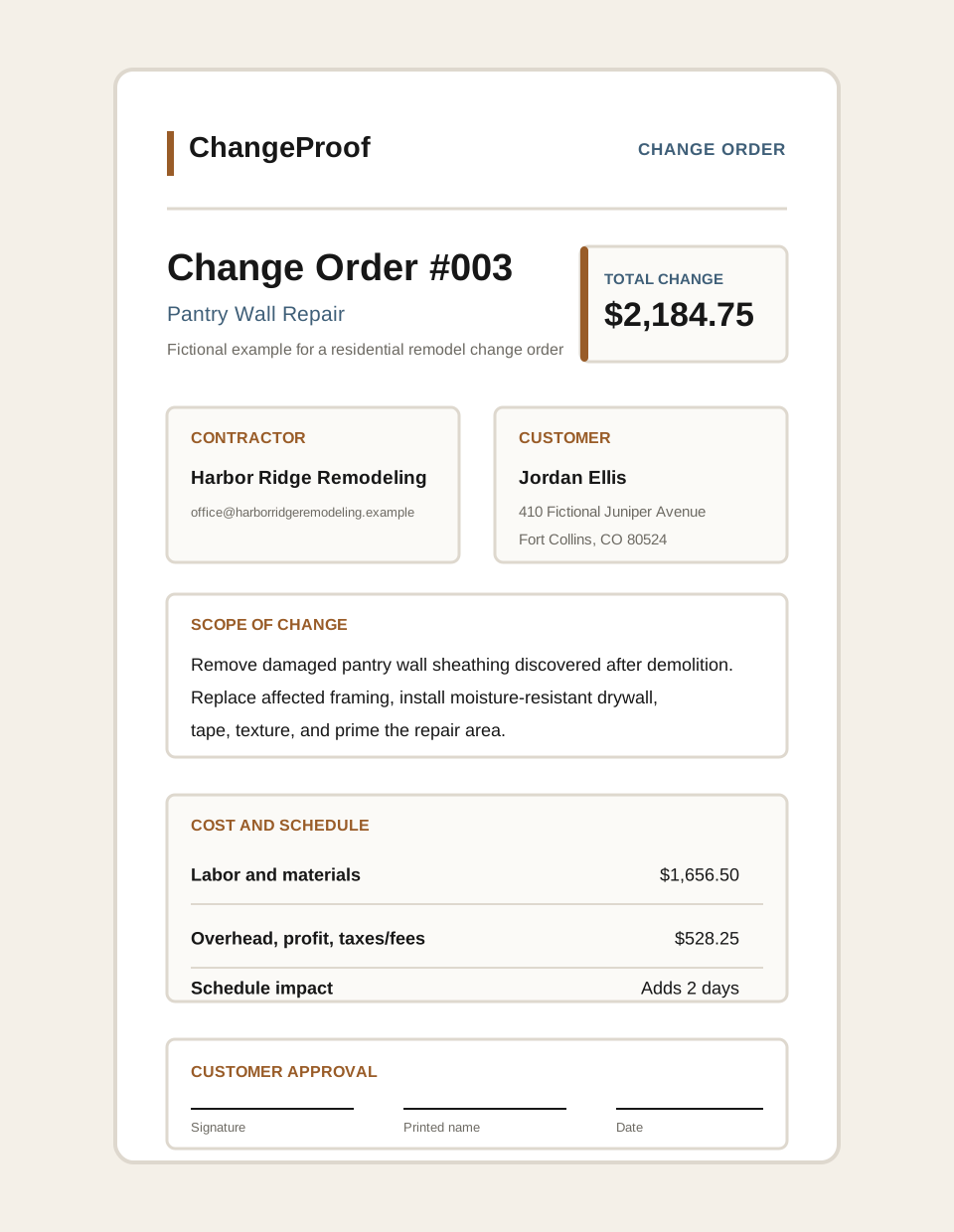
A kitchen remodeler opens a wall and finds damaged framing. The change order describes the repair, separates the new price from the original cabinet scope, and adds two calendar days.
A homeowner changes a selected paint color after materials are purchased. The change order documents the repaint area, extra labor, added material cost, and whether the deadline changes.
A drainage issue appears after grading starts. The change order explains the added pipe, gravel, disposal, revised price, and schedule impact before the crew does the extra work.
Use the blank PDF when...
You want a printable form to fill out manually or keep as a field backup.
Use the online generator when...
You want a typed, cleaner Change Order PDF that is easier to send to a customer.
A construction change order is a written record of a change to project scope, price, schedule, or terms after the original agreement. It helps both sides understand what is changing before the contractor starts the changed work.
A change order should usually include the contractor, customer, project, change order reference, changed scope, price impact, schedule impact, notes or terms, and customer approval.
Yes. A free template can be useful for simple construction changes, especially when you review it against your own contract and project requirements before sending it.
Yes. If the change affects timing, record the added or reduced days. If it does not affect the schedule, it is still useful to state that clearly.
No. A change order documents a change to the work, price, or schedule. An invoice requests payment. A project may need both, but they serve different purposes.
Not always. A change order is commonly used to document a specific project change. A contract addendum can be broader. The right document depends on the contract and local requirements.
Many contractors ask the customer to sign or otherwise approve a change order before extra work begins. Your contract may define the required approval process.
Yes. You can create a Change Order PDF for free. After signup, ChangeProof can create an approval link so the customer can review and respond without logging in.